What Is Subscription Management Software: Complete Guide
Subscription management software is a cloud-based system that automates recurring billing, customer lifecycle actions (signups, upgrades, cancellations), revenue recognition, tax handling, and reporting for subscription businesses operating in the United States. It replaces manual spreadsheets and ad-hoc billing processes with repeatable workflows, integrations (payment gateways, CRM, accounting), and tools to reduce churn, improve collections, and keep accounting compliant with U.S. rules.
Essential definitions and context you need to use this answer
Subscription management software manages recurring-revenue lifecycles and the financial and operational tasks that follow. Key definitions:
- Subscription: a time-bound contract where a customer pays repeatedly (monthly, annual, usage-based) for access to a product or service.
- Recurring billing: automated invoicing and payment collection on a schedule.
- MRR/ARR: monthly recurring revenue and annual recurring revenue — core metrics for subscription businesses.
- Churn rate: percentage of customers who cancel within a period (monthly or annually).
- Dunning: automated retry and communication workflows when payments fail.
- Usage-based (metered) billing: charges calculated from measured consumption (API calls, GB transferred).
- Prorations: partial-period charges or credits when customers change plans mid-cycle.
- Revenue recognition: accounting treatment that matches revenue to the period services are delivered (ASC 606 in the U.S).
Why U.S. context matters: state sales tax, nexus rules, and federal accounting standards (ASC 606) affect how you configure taxes and revenue recognition. Many U.S. payment processors, banks, and compliance frameworks integrate differently by region, so pick tools that support U.S. tax and payment providers.
How subscription management software works — core workflow and troubleshooting sequence
Answer: A subscription management system follows the customer lifecycle from quote to renewal and automates billing, payments, tax, accounting entries, and communications.
Core workflow (how it works)
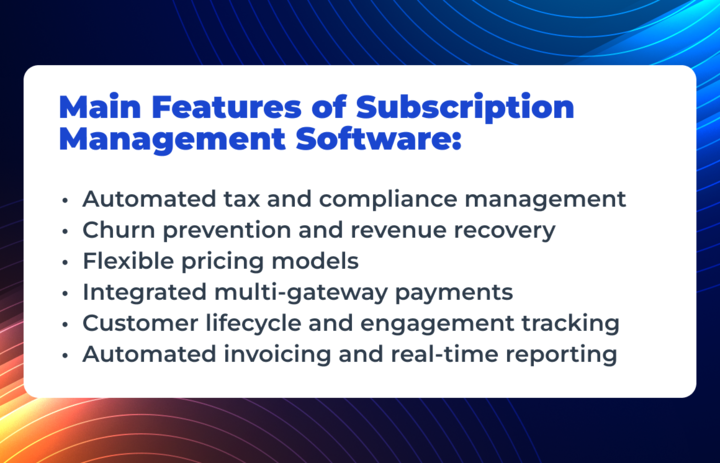
- Product and plan modeling: define plans, tiers, add-ons, trial periods, discounts, and billing cadence.
- Customer onboarding: capture customer data, payment methods (tokenized), and consent (for receipts, marketing).
- Billing engine: generate invoices or authorize payments according to plan rules, proration, and usage.
- Payment processing: route charges through integrated payment gateways (card, ACH, digital wallets).
- Dunning and failed-payment handling: automated retries, emails/SMS, card updating prompts, and suspension rules.
- Revenue recognition and accounting: create accounting entries or ledger exports aligned to ASC 606 and general ledger structure.
- Reporting and analytics: MRR, ARR, churn, LTV, CAC payback, churn cohorts, and cash forecasting.
- Customer lifecycle actions: upgrades, downgrades, cancellations, refunds, upgrades, and renewals with appropriate proration and notifications.
Troubleshooting sequence (symptoms → checks → likely fixes)
-
Symptom: Customers report duplicate charges.
- Check: Billing rules for subscription overlap, double webhook events, or retries logged by gateway.
- Fix: Reconcile transaction logs, disable duplicate webhook processing, refund duplicates, and correct rules.
-
Symptom: Incorrect sales tax charged for some customers.
- Check: Customer address, nexus configuration, product taxability settings, and tax provider integration.
- Fix: Update tax rules, re-calculate invoices, communicate and refund/credit where required, consult tax advisor.
-
Symptom: High failed payment rate after card migration.
- Check: Tokenization mapping, gateway connectivity, retry schedule, and stored payment method expiry.
- Fix: Verify token mapping, run account updater services if available, adjust retry/dunning cadence.
-
Symptom: Accounting entries don’t match cash flow.
- Check: Revenue recognition rules, invoice vs payment timing, deferred revenue ledger mapping.
- Fix: Align recognition rules to ASC 606, export proper journal entries, and reconcile deferred revenue.
Start with logs: payment gateway logs, webhook receipts, and system audit trails. Order checks by simplest fixes (misconfiguration) before code changes.
Key features to evaluate (decision criteria, examples, and a simple decision table)
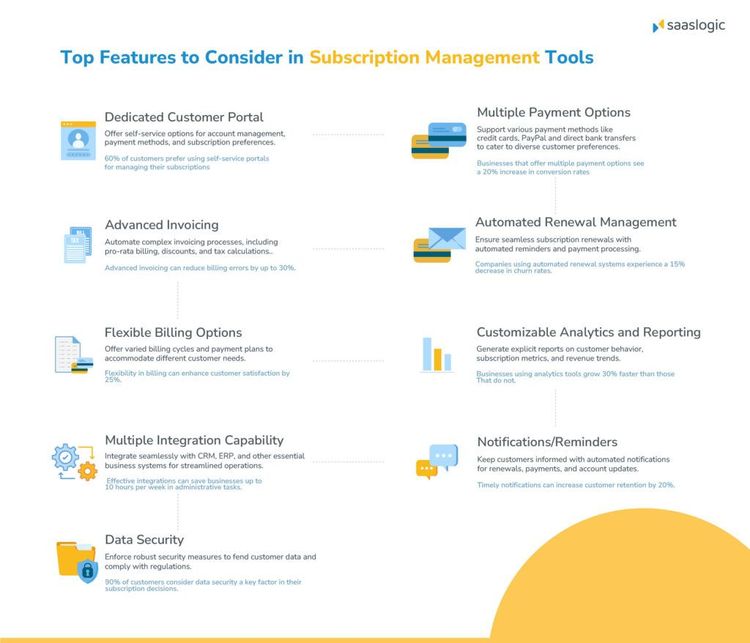
Answer: Evaluate features by how they reduce manual work and risk, support U.S. tax and accounting, and integrate with your stack.
Core features and practical trade-offs
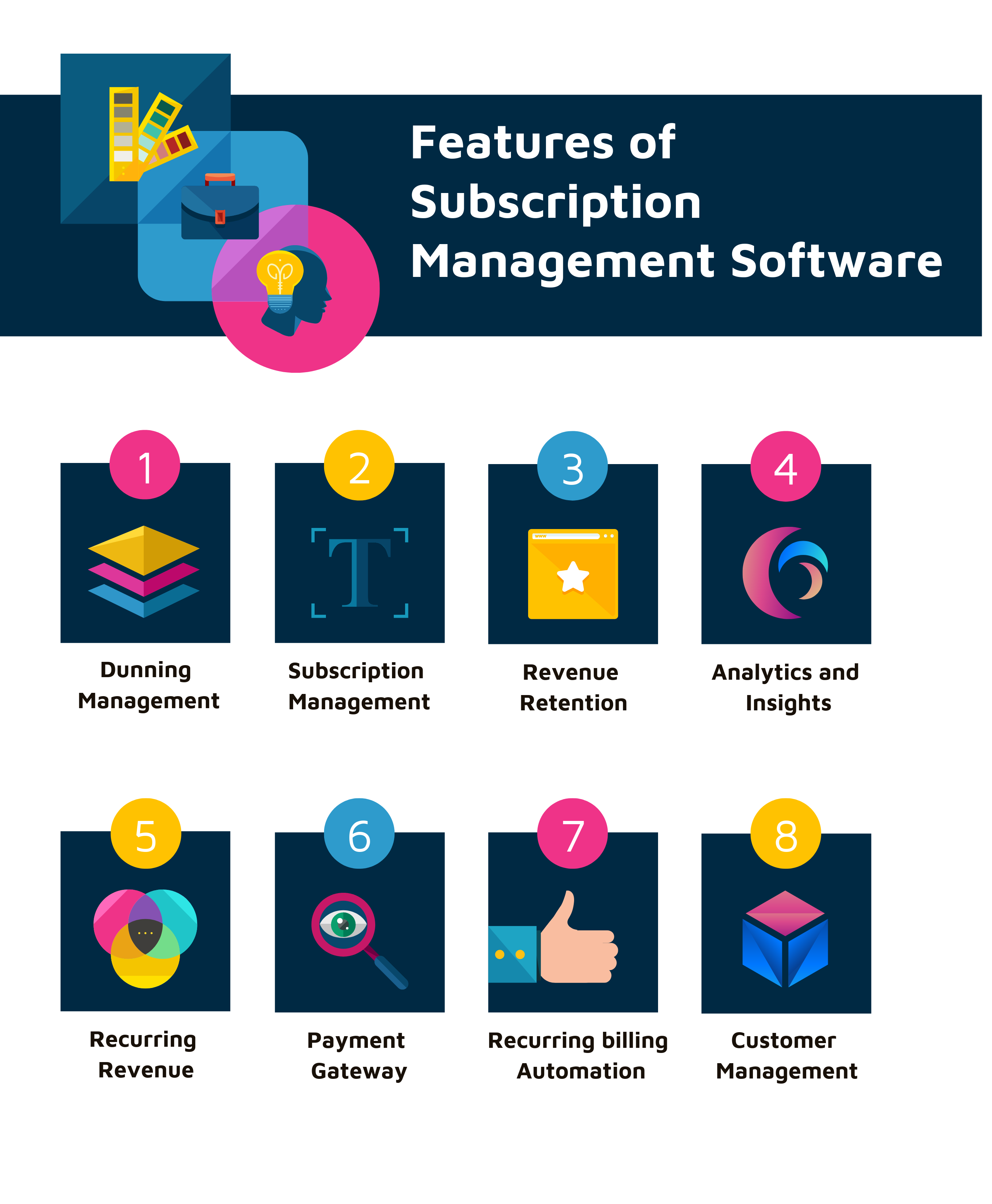
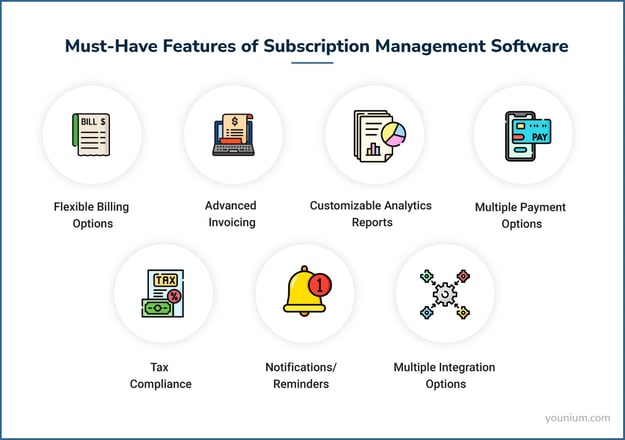
- Billing flexibility: support for recurring, usage-based, one-time charges, trials, and proration. Trade-off: simple setup vs engineering flexibility—extensive customization often costs more.
- Payment integrations: native support for top U.S. gateways (Stripe, PayPal, ACH processors). Trade-off: built-in connectors reduce time-to-live; fewer connectors require custom engineering.
- Tax handling: automated sales/use tax calculation and exemption handling for U.S. states. Trade-off: vendor tax engines vs external tax service (e.g., Avalara); external services can be more accurate for complex nexus.
- Dunning and communications: prebuilt retry schedules, SMS/email templates, card update pages. Trade-off: template convenience vs need for custom messaging.
- Accounting exports and ASC 606 support: deferred revenue, automated journal entries, integration to QuickBooks, Netsuite. Trade-off: built-in recognition simplifies bookkeeping vs need for accounting team review.
- Security and compliance: PCI-DSS tokenization, SOC 2 reports, data residency. Trade-off: higher compliance increases cost but reduces risk.
- Reporting and analytics: cohort analysis, LTV, CAC payback, forecasting. Trade-off: built-in analytics vs exporting to BI tools.
Decision table (quick guide by company stage)
- Startup (0–1K subs): prioritize ease of use, low cost, quick integrations, flexible trials.
- SMB (1K–50K subs): prioritize tax automation, dunning, accounting exports, custom pricing.
- Enterprise (50K+ subs): prioritize scale, high-availability, granular access control, advanced revenue recognition, SSO, and dedicated support.
Example trade-off: If you require complex, per-customer contract terms (custom pricing), choose a platform with a quote-to-cash module—even if cost is higher. If you need speed and standard SaaS billing, favor platforms with simple plan management and built-in gateway integrations.
Variables, examples, and calculations — sample ROI and metric formulas
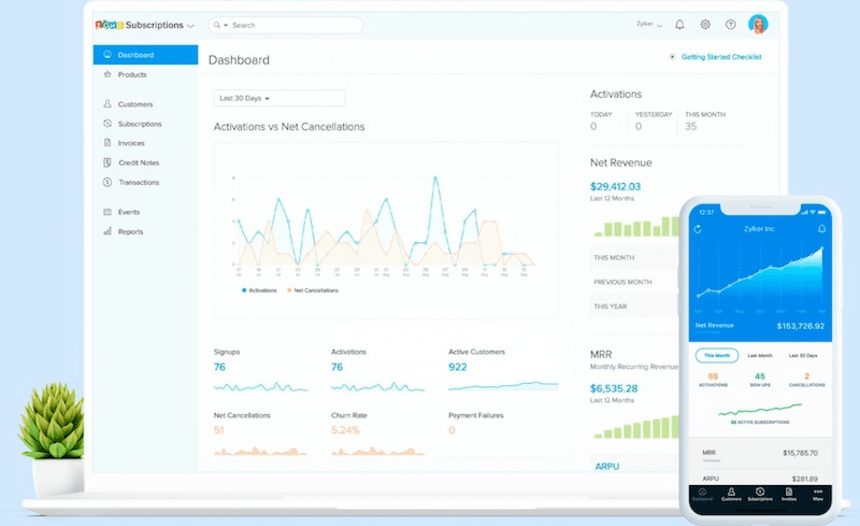
Answer: Use MRR, churn, ARPA, LTV, and CAC to decide investment and measure success.
Key formulas (labelled and simple)
- MRR (Monthly Recurring Revenue) = sum of monthly subscription fees across active customers.
- ARR = MRR × 12.
- Churn rate (monthly) = (churned customers in month) ÷ (customers at start of month).
- ARPA (Average Revenue per Account) = MRR ÷ active accounts.
- LTV (approx) = ARPA ÷ monthly churn rate.
- CAC payback (months) = Customer acquisition cost ÷ ARPA.
Example ROI scenario (hypothetical U.S. SaaS SMB)
- Current MRR = $50,000
- Monthly churn = 4% → implied LTV = ARPA ÷ 0.04
- If ARPA = $50,000 ÷ 1,000 customers = $50, then LTV ≈ $50 ÷ 0.04 = $1,250
- Investment: subscription management software + migration = $10,000 first year + $1,000/month
- If improved dunning reduces monthly churn to 3.2% (20% relative reduction), new LTV = $50 ÷ 0.032 = $1,562.5 → LTV increase ≈ $312.5 per customer.
- If you retain 1,000 customers, aggregate retained lifetime value increases by ~$312,500 — a strong ROI signal even after platform costs.
Use scenario planning: model conservative, expected, and optimistic churn improvements and compute payback period for the platform cost.
Implementation checklist, prerequisites, and migration steps (with signs of success and recovery actions)
Answer: Implement reliably by preparing requirements, testing in a sandbox, and running a staged migration with validation.
Prerequisites
- Requirements document: billing rules, plan catalog, tax rules, proration behavior, dunning policy.
- Accounting rules: deferred revenue accounts, GL mapping, and recognition schedule (ASC 606).
- Legal/tax counsel: sales tax nexus assessment and privacy compliance (CCPA/CPRA).
- Payment processors: merchant accounts and gateway credentials; enable account updater services if available.
- Data readiness: customer records, payment tokens, historical invoices, credit balances.
Staged implementation steps
- Map product catalog: translate every existing plan/discount/trial into the new billing model.
- Configure tax rules and integrate a U.S. tax engine or service.
- Integrate payment gateways and enable test transactions.
- Set up dunning schedules and communication templates.
- Create accounting export rules and map GL accounts.
- Test thoroughly in sandbox: sign-up flows, upgrades, proration, cancellations, refund scenarios, and revenue recognition exports.
- Pilot with a small customer segment; reconcile live transactions and accounting entries.
- Full migration: run a parallel reconciliation period, keep a rollback plan for 7–14 days.
- Post-launch monitoring: daily reconciliation, payment failure rates, customer support logs, and MRR accuracy.
Signs of success
- Automated invoices and payments match manual reconciliations within acceptable tolerance (e.g., <$100 discrepancy for SMB over first 30 days).
- Decline rate and dunning recovery improve or at least do not worsen after migration.
- Accounting entries are produced and match expected deferred revenue calculations.
- Customers report minimal billing disruptions; refunds and corrections processed quickly.
When things go wrong (recovery actions)
- If mass payment failures occur: pause automated retries, notify customers, and coordinate with gateway support.
- If tax errors surface: suspend tax automation for affected states, correct invoices, and consult tax advisor for remediation and notice requirements.
- If accounting mismatches appear: freeze new exports, perform manual journal entries, and correct mapping before resuming automation.
Pricing models, typical costs, and example calculations
Answer: Pricing models vary — match the vendor model to your growth profile to avoid surprise costs.
Common vendor pricing types
- Per active subscription seat/month: predictable but scales linearly with customer count.
- Per-invoice or per-transaction: cheaper for low-volume, higher for frequent billing.
- Revenue-share (% of processed recurring revenue): aligns vendor incentives but increases with growth.
- Flat subscription fee + overage tiers: predictable base cost with growth buffers.
- Enterprise/custom pricing: negotiated SKU with SLAs and add-ons.
Cost considerations (U.S. specifics)
- Payment processing fees: card/ACH fees and chargeback handling; these are separate from subscription platform fees.
- Tax service fees: state tax calculations may incur extra per-transaction costs.
- Implementation and integration engineering time: budget internal hours or vendor professional services.
- PCI and compliance: if you handle payment data, additional security work may be required.
Example cost calculation
- Vendor fee: $1,000/month + $0.10/invoice
- Payment fees: 2.9% + $0.30 per card transaction (typical U.S. rate for SMBs)
- If you have 10,000 monthly invoices at $50 average:
- Vendor invoice fees: $1,000 + (10,000 × $0.10) = $2,000/month
- Payment processing fees (assume all card): (10,000 × $50 × 2.9%) + (10,000 × $0.30) = $14,500 + $3,000 = $17,500/month
- Total billing+processing ≈ $19,500/month
Compare this to manual processing costs (staff time, errors, delayed payments) to determine ROI.
Common mistakes, limitations, and compliance/safety boundaries
Answer: Avoid common traps by planning for tax complexity, edge-case billing, and long-term portability.
Common mistakes
- Treating tax as an afterthought — U.S. state and local tax rules are complex; early integration matters.
- Over-customizing early — building bespoke billing when standard plans suffice increases cost and technical debt.
- Skipping sandbox testing — leads to billing errors and customer trust issues.
- Ignoring dunning strategy — weak dunning causes unnecessary churn and lost revenue.
- Not planning data portability — vendor lock-in can create costly migrations later.
Limitations to watch
- Extremely complex contract billing (multi-year, revenue sharing across parties) may require CPQ or enterprise quote-to-cash systems or custom engineering.
- Vendor-supported features vary: confirm ASC 606 automation, state tax coverage, and payment methods before deciding.
- Performance and SLAs: enterprise-scale needs require contractual uptime and support guarantees.
Compliance and safety boundaries (U.S. focused)
- PCI-DSS: never store raw card numbers unless your infrastructure is certified; prefer tokenization provided by gateways or the vendor.
- Data privacy: California Consumer Privacy Act (CCPA/CPRA) and other state laws may require data subject rights handling; consult counsel.
- Tax compliance: state sales/use tax, nexus, and marketplace facilitator rules require review; work with a U.S. tax advisor for obligations.
- Revenue recognition: align automation to ASC 606 guidance; consult an accountant for non-standard recognition treatments.
When to get professional help
- Unclear tax nexus or multi-state tax exposure.
- Complex contract terms, channel or reseller revenue sharing.
- High transaction volumes that require bespoke operational SLAs.
- Legal questions about consumer notices, cancellation terms, or refunds.
Next questions readers typically have and a concise next action
Answer: Start with an internal audit, list must-have billing rules, run a pilot, and measure a small set of success metrics.
Immediate next actions (concise)
- Audit current billing: list plans, discounts, trial rules, edge cases, last 12 months of refunds and chargebacks.
- Define must-haves vs nice-to-haves: tax automation, ACH support, dunning, accounting exports, contract billing.
- Create a sandbox test plan: 50 test accounts covering typical and edge scenarios (trial-to-paid, prorations, cancellations, refunds).
- Run a vendor pilot with real transactions for one customer segment for 30–60 days.
- Track success metrics: MRR accuracy, failed payment rate, dunning recovery rate, days to reconcile accounting.
Research limitations and recommended verification
- This guide uses established subscription billing concepts and U.S.-relevant compliance considerations. For vendor-specific claims (pricing, tax coverage, SLA), verify directly with providers and consult a CPA or tax advisor for state-specific tax obligations.
FAQs
-
Do I need subscription management software if I have only a few customers?
- If you have very few customers and simple monthly invoices, manual processes can work. But software becomes cost-effective once manual billing consumes staff time, errors increase, or you need automated dunning and tax calculations.
-
Will subscription management software handle U.S. sales tax automatically?
- Many providers integrate with tax engines that calculate state and local taxes, but you must configure nexus, product taxability, and exemptions correctly. Consult a U.S. tax advisor for nexus and complex tax treatments.
-
How does subscription software affect my accounting and revenue recognition?
- Good systems export journal entries or integrate with accounting platforms and can automate deferred revenue schedules aligned to ASC 606. Always validate mappings with your accountant before switching.
-
Can subscription platforms support usage-based billing (metered billing)?
- Yes—most modern platforms support metered billing via usage reporting APIs, batch uploads, or third-party metering tools. Ensure the vendor supports your measurement cadence and rounding/proration rules.
-
What are reasonable dunning recovery rate expectations?
- Dunning effectiveness varies, but many businesses see a 5–20% recovery of failed payments with a multi-step retry and communication process. Results depend on retry schedule, card updater use, and customer communication quality.
Key takeaway: Choose a platform that fits your scale, supports U.S. tax and accounting needs, and lets you pilot before full migration.
Final recommendation
Start by documenting your billing rules and accounting needs, run a sandboxed pilot with a vendor that supports U.S. tax and payment workflows, and measure MRR accuracy, dunning recovery, and reconciliation speed before fully committing. If you have complex tax or contract rules, involve a CPA or tax specialist early in the selection and implementation process.